
Add and update a deal
Create new deals and mark them as won or lost with a reason.
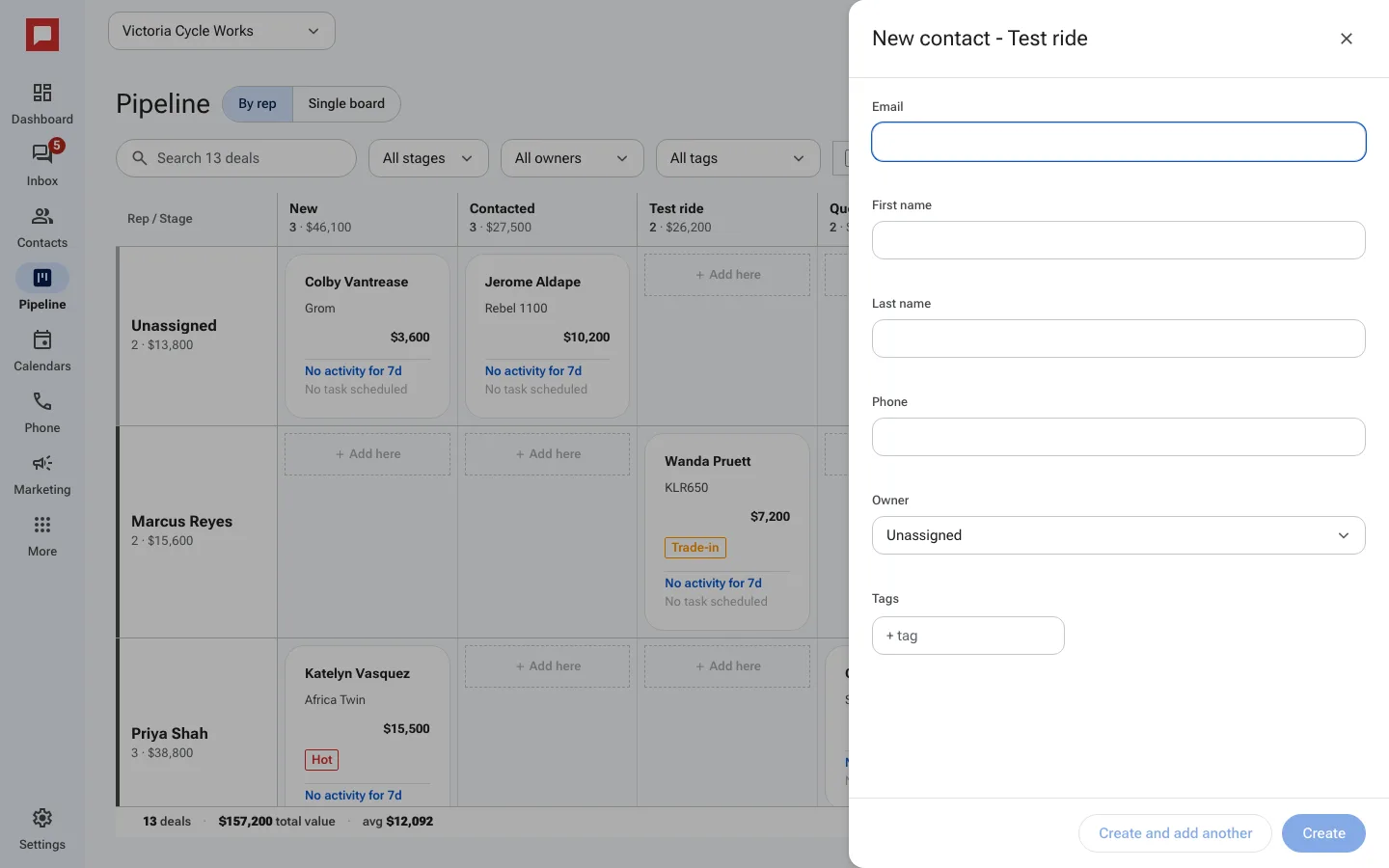
Every deal on the board is a contact in a stage. Adding a deal means adding a person straight into the stage they are at.
Steps
- Click Pipeline in the left icon rail.
- Find the stage the new person belongs in and click Add here in that column.
- A New contact drawer opens, already set to that stage. Fill in the name, email or phone.
- Pick an Owner and click Create. The deal card appears in the column.
- To move a deal, drag its card to another stage, or open the contact and click a step on its stage bar.
- When a deal falls through, open the contact and click Mark lost, then answer Why was this lost?
Good to know
- You can change the owner of a deal at any time.
- Marking a deal as lost helps you track why deals do not close.
- The deal value helps you forecast revenue.
- The total at the top of each column adds up the deal values in that stage.