
Appointment and team reports
Review appointment stats and individual team member performance.
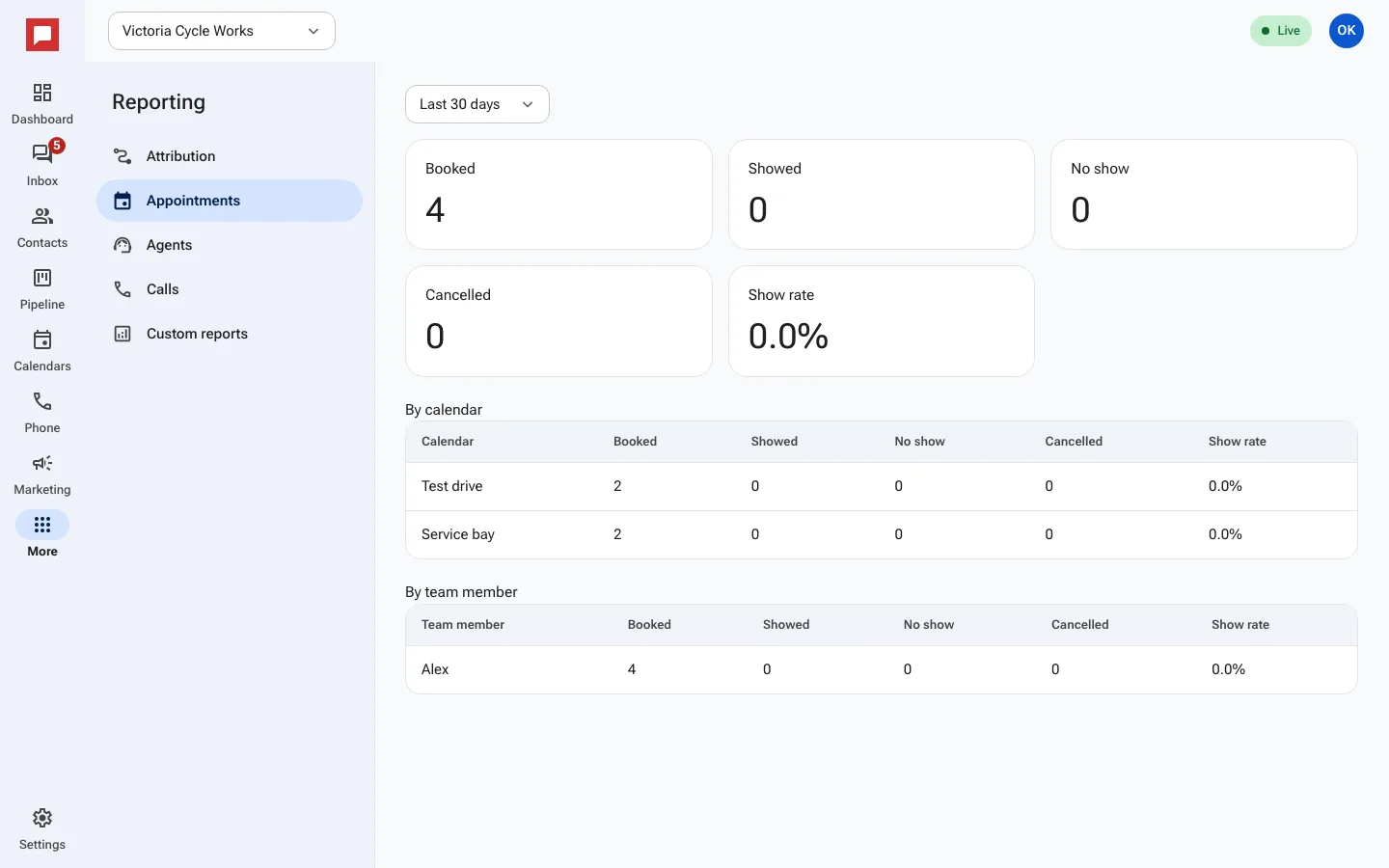
These reports help you track how well your team is performing. You can see appointment details and individual staff metrics in one place.
Steps
- Go to the More menu on the left rail.
- Select Reporting.
- Click the Appointments tab.
- View the By calendar section to see Booked, Showed, No show, and Cancelled counts.
- Check the Show rate to see how many people actually attended.
- Click the Agents tab to see individual performance.
- Review metrics like Answered, Messages sent, Won, and Tasks done for each Team member.
- Select a Date range to focus on a specific period.
Good to know
- The agent report shows who is handling the most work.
- You can see if a team member has no activity in the selected range.
- These reports help you identify training needs or top performers.