
See where leads come from
Track lead sources and campaign performance in one report.
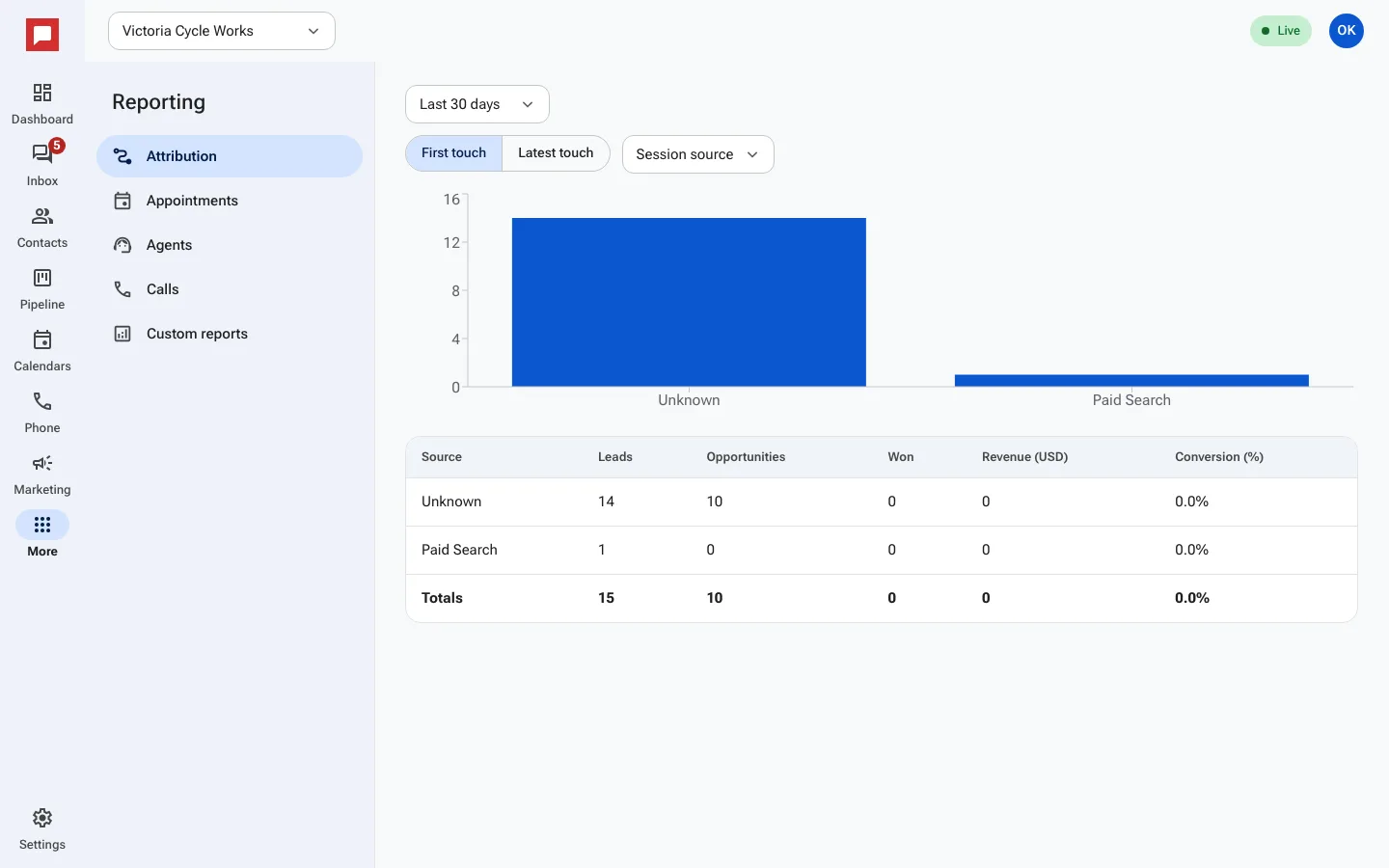
The attribution report shows you exactly where your leads are coming from. It helps you see which marketing efforts bring in the most business.
Steps
- Go to the More menu on the left rail.
- Select Reporting.
- Click the Attribution tab.
- Choose First touch or Latest touch to see how you want to count leads.
- Review the table to see Source, Leads, Opportunities, and Revenue (USD).
- Check the Conversion (%) column to see how well each source performs.
- Use the Date range picker to change the time period.
- Click Download PDF to save a copy of the report.
Good to know
- First touch shows the very first interaction a lead had with your business.
- Latest touch shows the most recent interaction before they became a customer.
- You can filter by Session source, UTM source, or UTM campaign.
- This report includes data from forms, chats, and ad lead forms.