
Manage client accounts
Learn how to create, switch between, and manage multiple client sub-accounts in your agency workspace.
HowdyBell lets you run marketing for multiple businesses from one login. You create a sub-account for each client. This keeps their data separate while you manage everything from your main dashboard.
Steps
- Go to More in the left icon rail, then Agency.
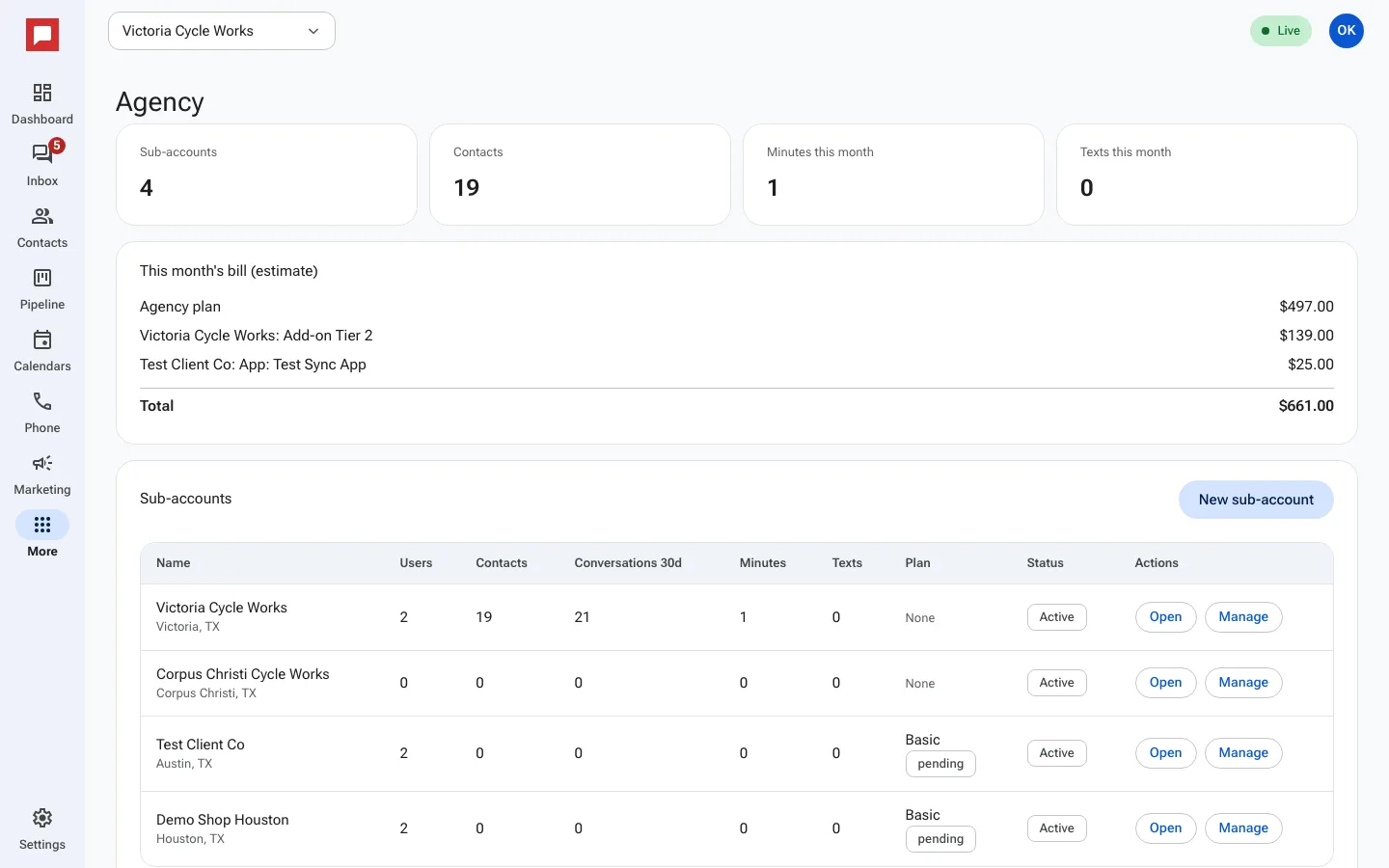
- You will see a list of your Sub-accounts.
- Click New sub-account to add a new client.
- Enter the Client business name.
- Add the Client email. We send them a sign-in link.
- Choose a City and State.
- Select a Timezone.
- Click Create to save the new account.
- Click Open next to a client to switch into their workspace.
Good to know
- You can switch between your main account and any client account quickly.
- Each sub-account has its own contacts, pipelines, and marketing data.
- Use the Manage button to edit client details or assign a plan.
- You can see usage stats like Conversations 30d, Minutes, and Texts for each client.