
Sell plans to your clients
Create monthly plans with specific modules and usage limits, then assign them to clients for billing.
You can charge clients a monthly fee for using HowdyBell. Create plans that include specific features and usage limits. Clients pay you, and you manage their access.
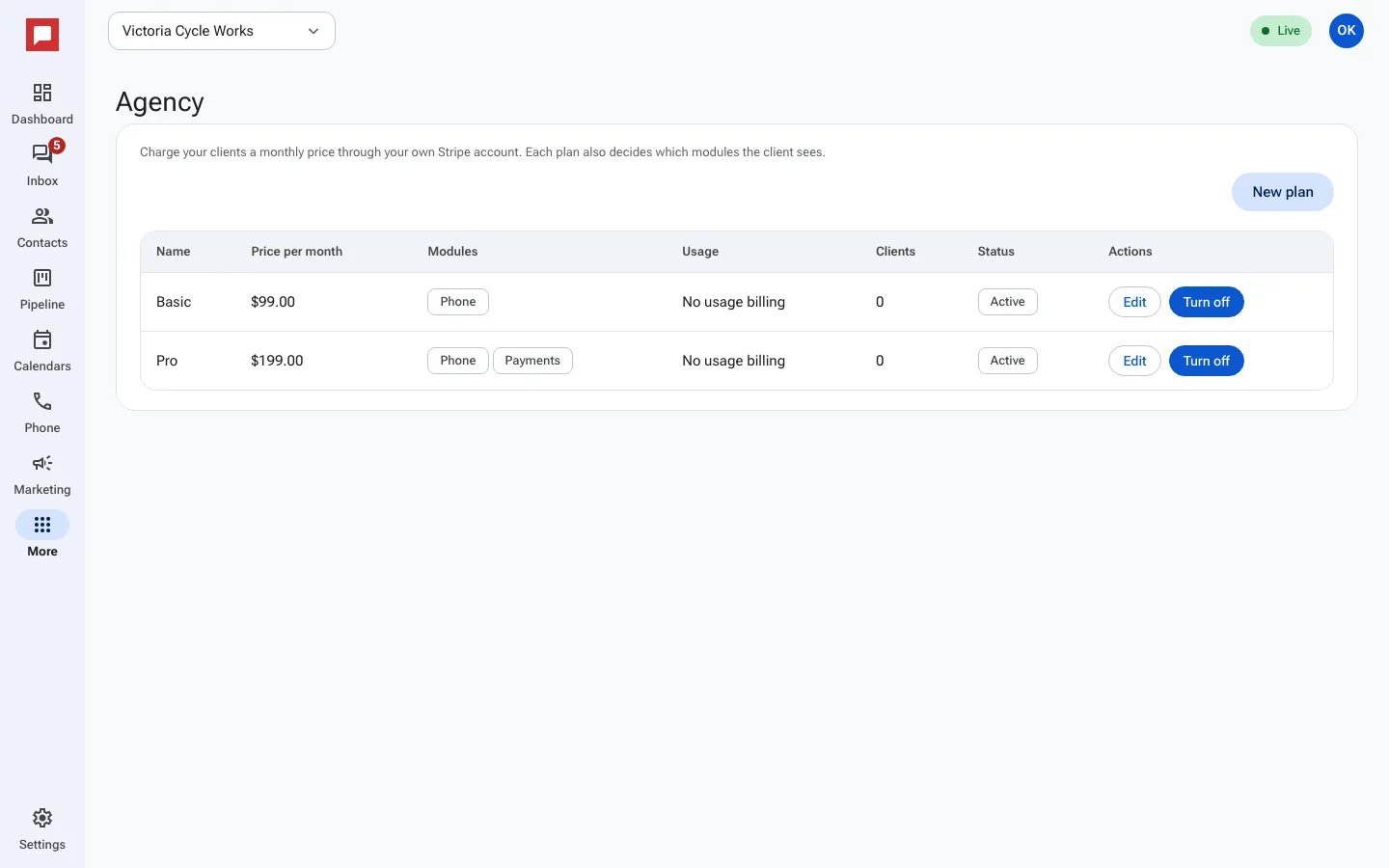
Steps
- Go to More in the left icon rail, then Agency.
- Click Client plans.
- Click New plan.
- Enter a Name for the plan.
- Set the Price per month.
- Choose which Modules are included.
- Set Usage limits for things like texts and minutes.
- Click Save.
- Go to a client sub-account.
- Click Manage.
- Pick the plan, add the Client billing email, and click Assign plan.
Good to know
- Clients pay you directly. You handle the billing.
- You can set a Markup on usage (%) for phone and text usage.
- A plan can be Active or Paused.
- The Agency overview shows your own bill for the month, an estimate, at the top.