
Copy setups with snapshots
Save a client's workflow and settings as a snapshot, then apply it to other clients to save time.
Setting up a new client takes time. Snapshots let you copy a working setup from one client to another. You save workflows, forms, and pipelines in one click.
Steps
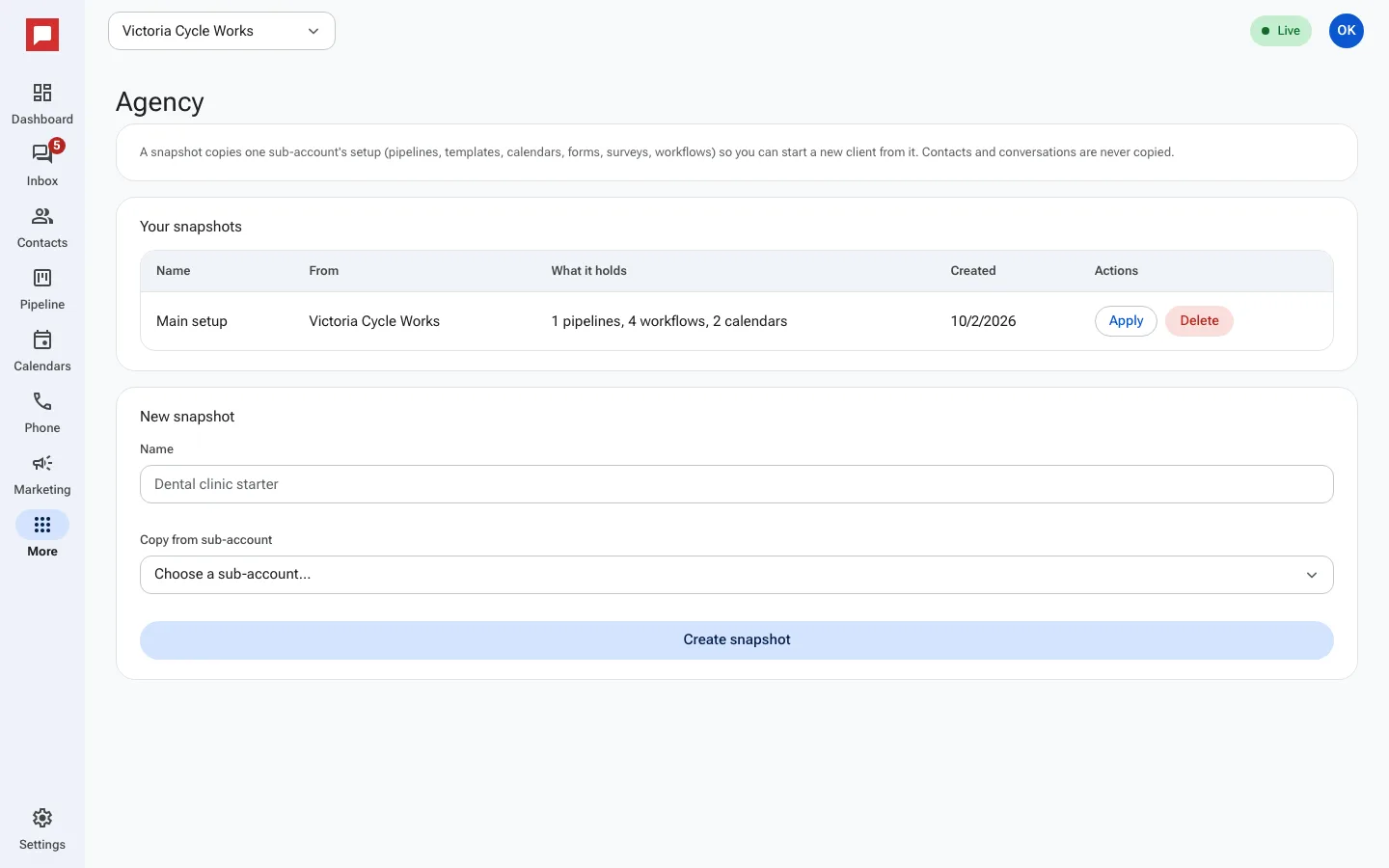
- Click More in the left icon rail, then Agency, then Snapshots.
- Under New snapshot, type a Name, pick the client under Copy from sub-account, and click Create snapshot.
- The snapshot appears under Your snapshots.
- To load it into another client, click Apply, choose the Apply to sub-account, and confirm.
Good to know
- A snapshot copies the setup: pipelines, templates, calendars, forms, surveys and workflows. Contacts and conversations are never copied.
- You can delete a snapshot if you no longer need it.
- Some workflow steps may need a person picked again after applying.