
Brand HowdyBell as your own
Customize the logo, colors, and app address so clients see your brand instead of HowdyBell.
You can make HowdyBell look like your own product. This builds trust with your clients. They see your logo and colors when they log in.
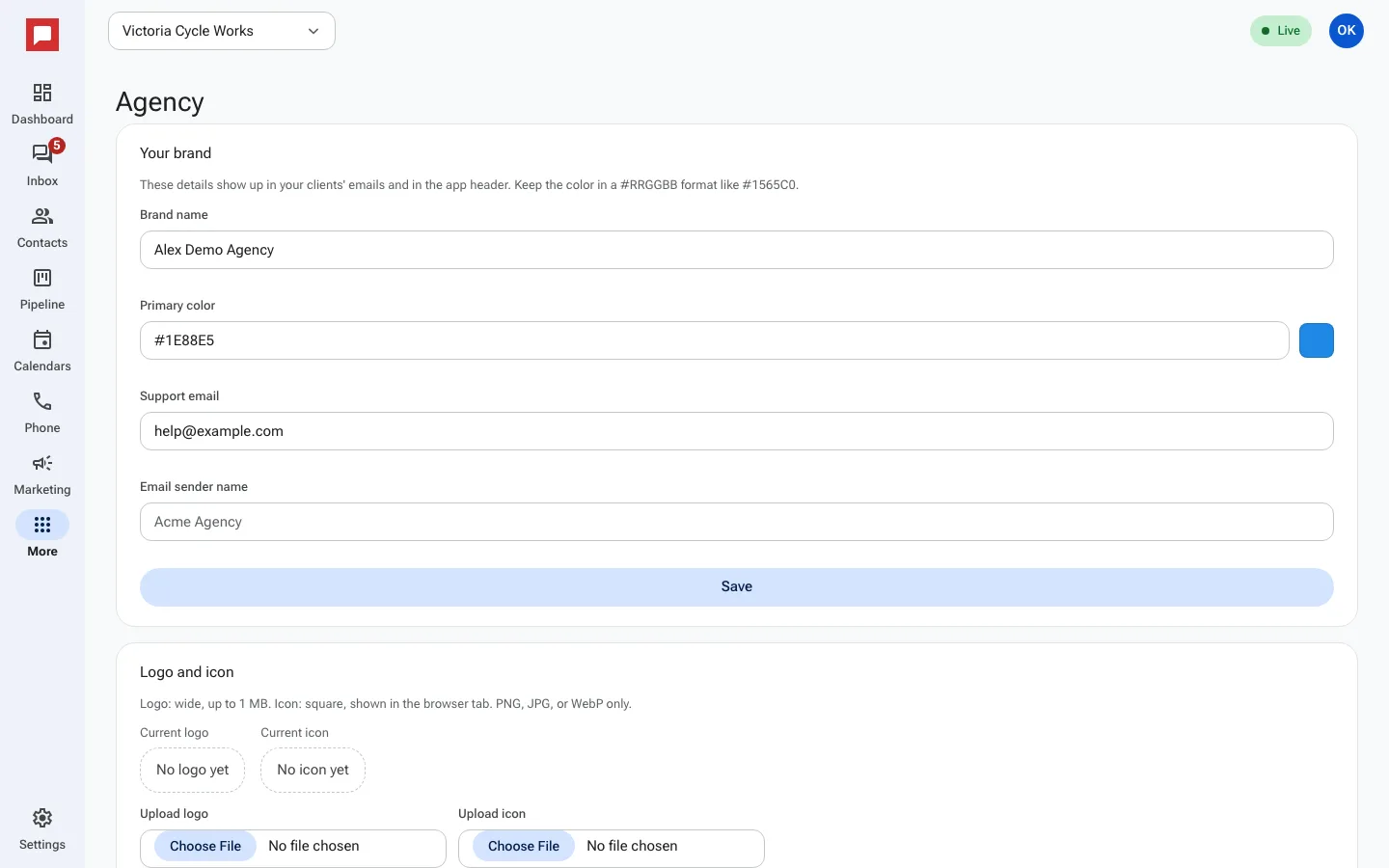
Steps
- Go to More in the left icon rail, then Agency.
- Click Branding.
- Enter your Brand name.
- Set the Primary color. Use a 6-digit hex code like #1565C0.
- Add your Support email.
- Set the Email sender name.
- Upload your Logo and Icon under Logo and icon.
- Set your App address. This is the web address clients use to log in.
- Click Check domain to verify your address.
- Use the Preview section to see how your brand looks.
Good to know
- Your brand changes apply to all your client sub-accounts.
- The App address must be unique. Wait a few minutes after setting it.
- Clients see your Support email when they need help.
- You can update your logo and colors at any time.