
Create a calendar
Set up a new calendar with the right meeting length and team members.
A calendar is where your customers book time with you. You can create one for a single person or a whole team. This helps you control who is available and how long each meeting lasts.
Steps
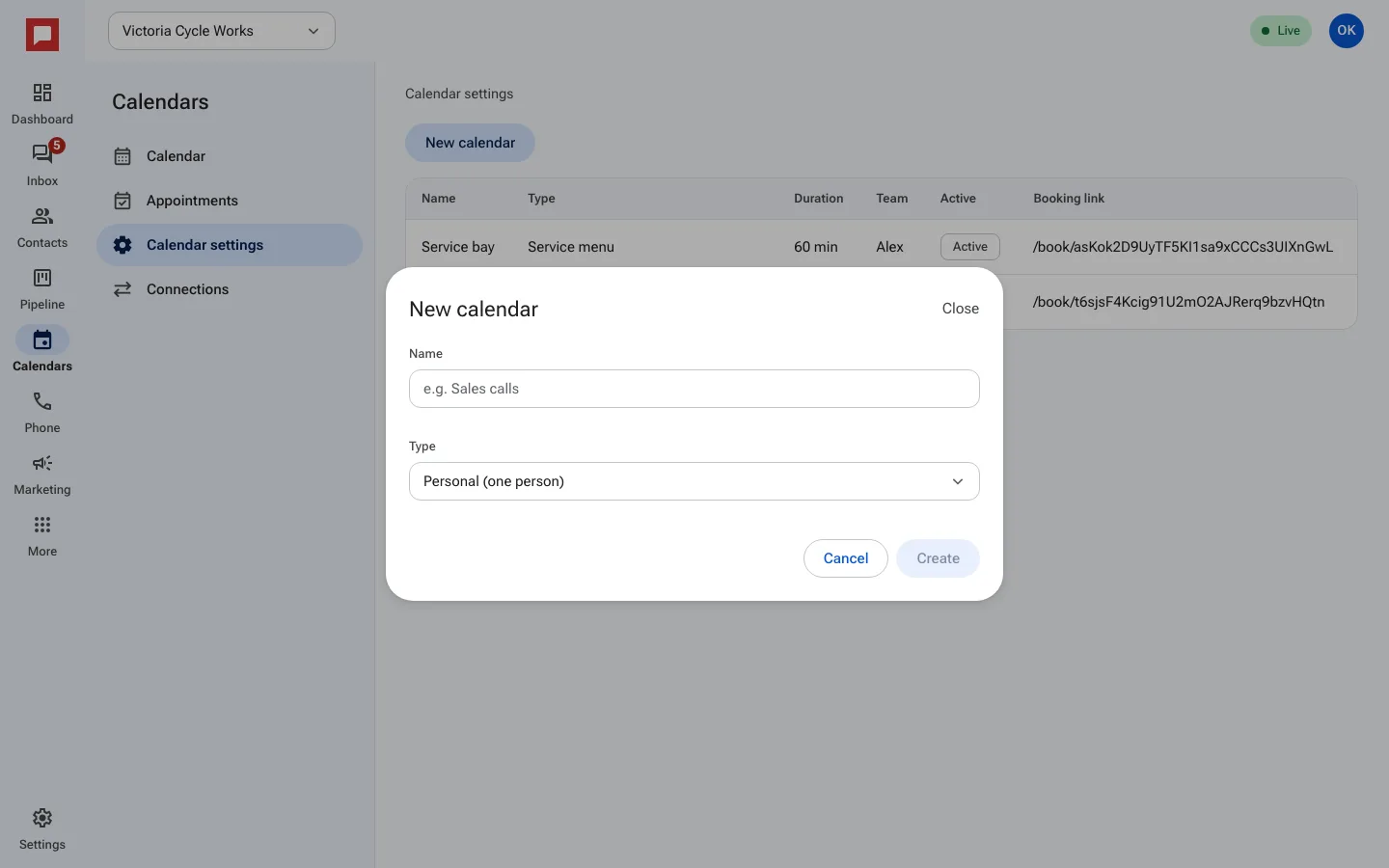
- Click Calendars in the left icon rail, then Calendar settings.
- Click New calendar.
- Enter a Name, like "Sales calls".
- Choose a Type: Personal (one person), Round robin (spread across a team), Collective (everyone must be free), or Class or event (many people per slot).
- Click Create. The calendar appears in the list with its Booking link.
- Click the calendar to finish setting it up: Details (length and location), Availability, Team, Booking rules and more.
Good to know
- Round robin spreads appointments evenly among team members.
- Collective only shows times when every team member is free.
- You can create multiple calendars for different services.