
Add a contact
Learn how to create a new contact record in HowdyBell.
Adding a contact is the first step to managing your business relationships. This helps you keep track of who you are talking to and what they need.
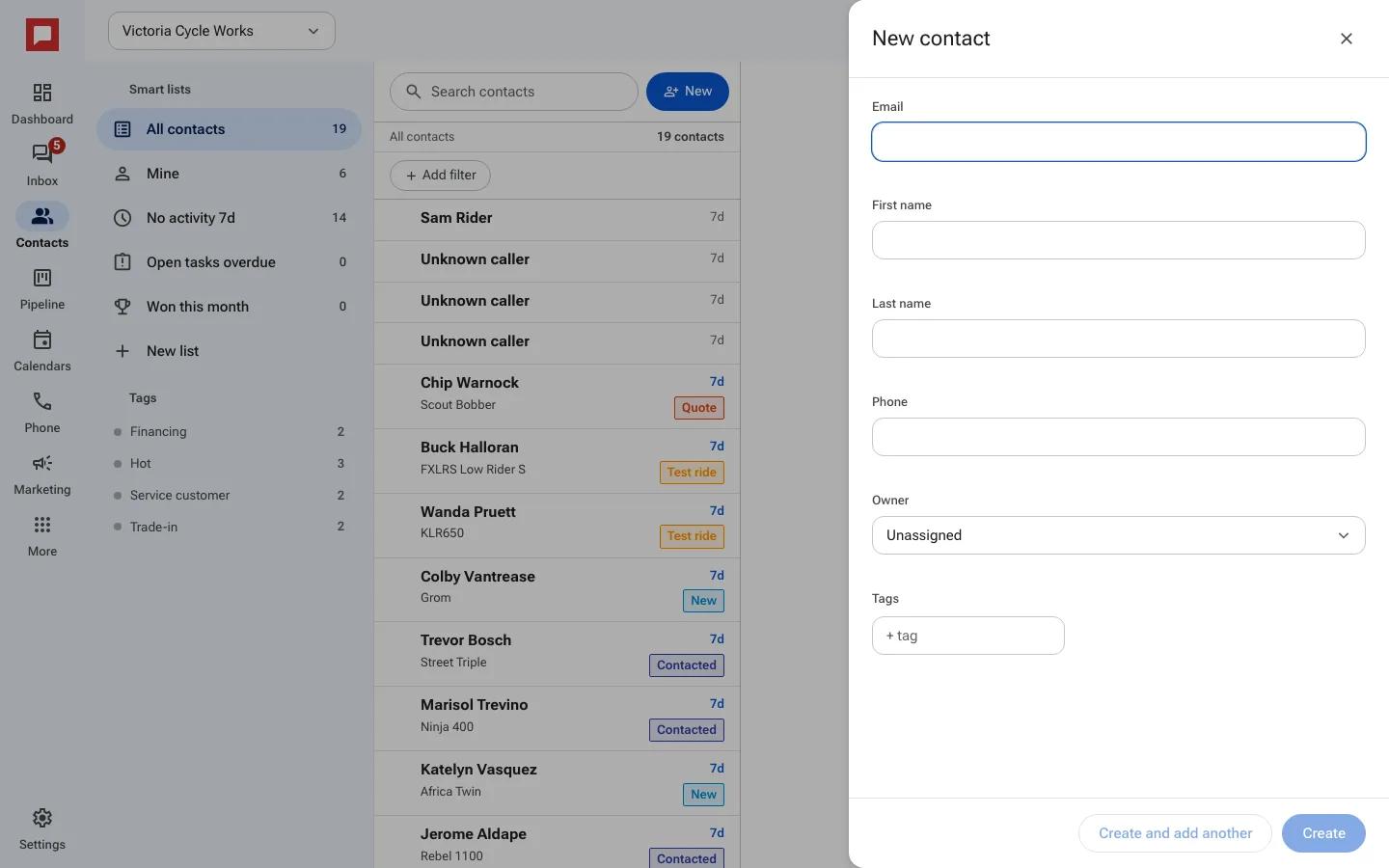
Steps
- Go to the Contacts page.
- Click New at the top of the contact list (or press N on your keyboard).
- Type the First name and Last name. Both are required.
- Add an Email or Phone number if you have one.
- Pick an Owner (the teammate responsible) and add Tags if you like.
- Click Create, or Create and add another to keep the drawer open for the next person.
Good to know
- HowdyBell spots duplicates by email and phone, so the same person is not added twice.
- If you do not add an email or phone, the contact will still be saved.
- You can edit these details later by opening the contact record.