
Work with a contact record
View and manage all the details for a single contact.
A contact record holds all the information about one person. You can see their details, notes, and history in one place.
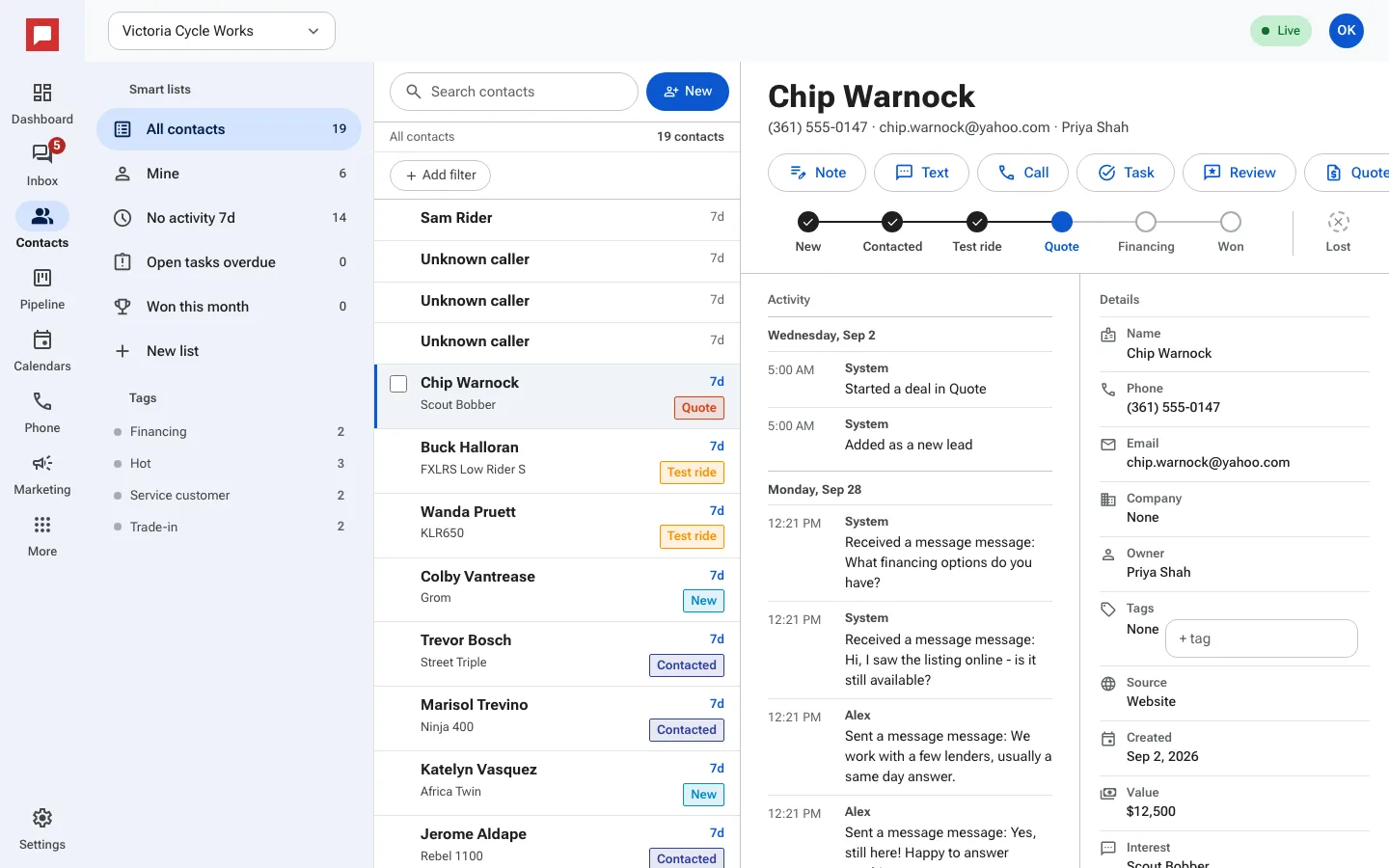
Steps
- Click on a contact name to open their record.
- View the Details section for basic info like Email and Phone.
- The Activity column shows everything that happened, newest first.
- Use the buttons at the top: Note, Text, Call, Task or Review (sends a review request).
- Click a step on the stage bar to move the deal forward.
- Use the Do not disturb toggle to stop marketing messages to this person.
- Click Delete contact if you no longer need this person in your system.
Good to know
- You can add tasks with a Due date to remind yourself to follow up.
- The Source field shows where the contact came from.
- Deleting a contact removes them from your list.