
Switch between light and dark mode
Change how HowdyBell looks on your screen.
You can change how HowdyBell looks to match your preference. This helps reduce eye strain in different lighting conditions.
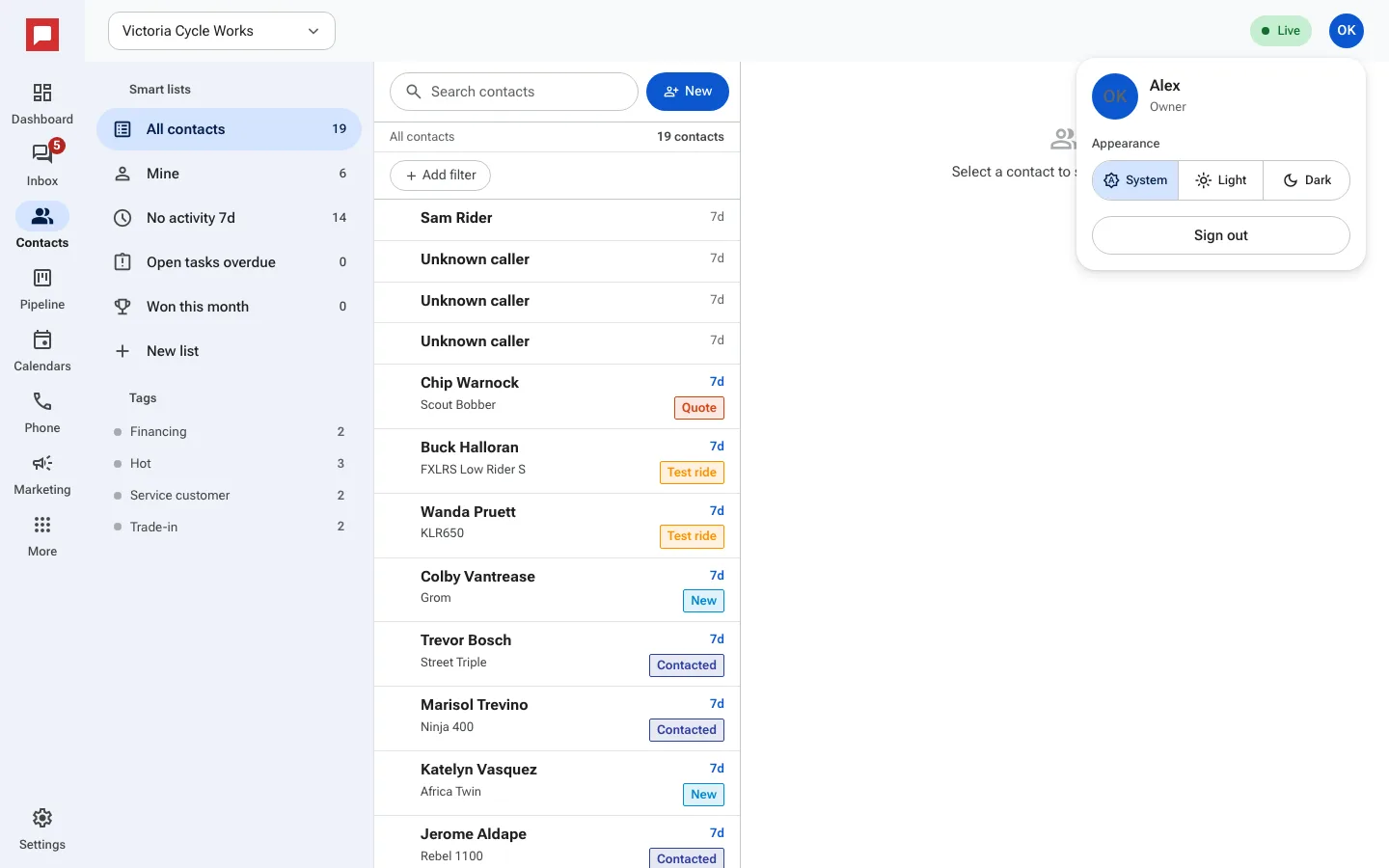
Steps
- Click your round avatar at the top right of the screen.
- Find the Appearance option in the menu.
- Choose Light, Dark, or System (follows your computer or phone setting).
The change happens right away. You do not need to save.
Good to know
- Your choice is saved in this browser. On a new computer or browser, pick it again.
- You can change it at any time.
- The System option follows your phone or computer setting.
- This setting does not affect other people on your team.