
Set up your business profile
Add your business name, address, and hours to your workspace.
Your business profile tells customers how to reach you. It also helps HowdyBell show the right information in messages and on your site.
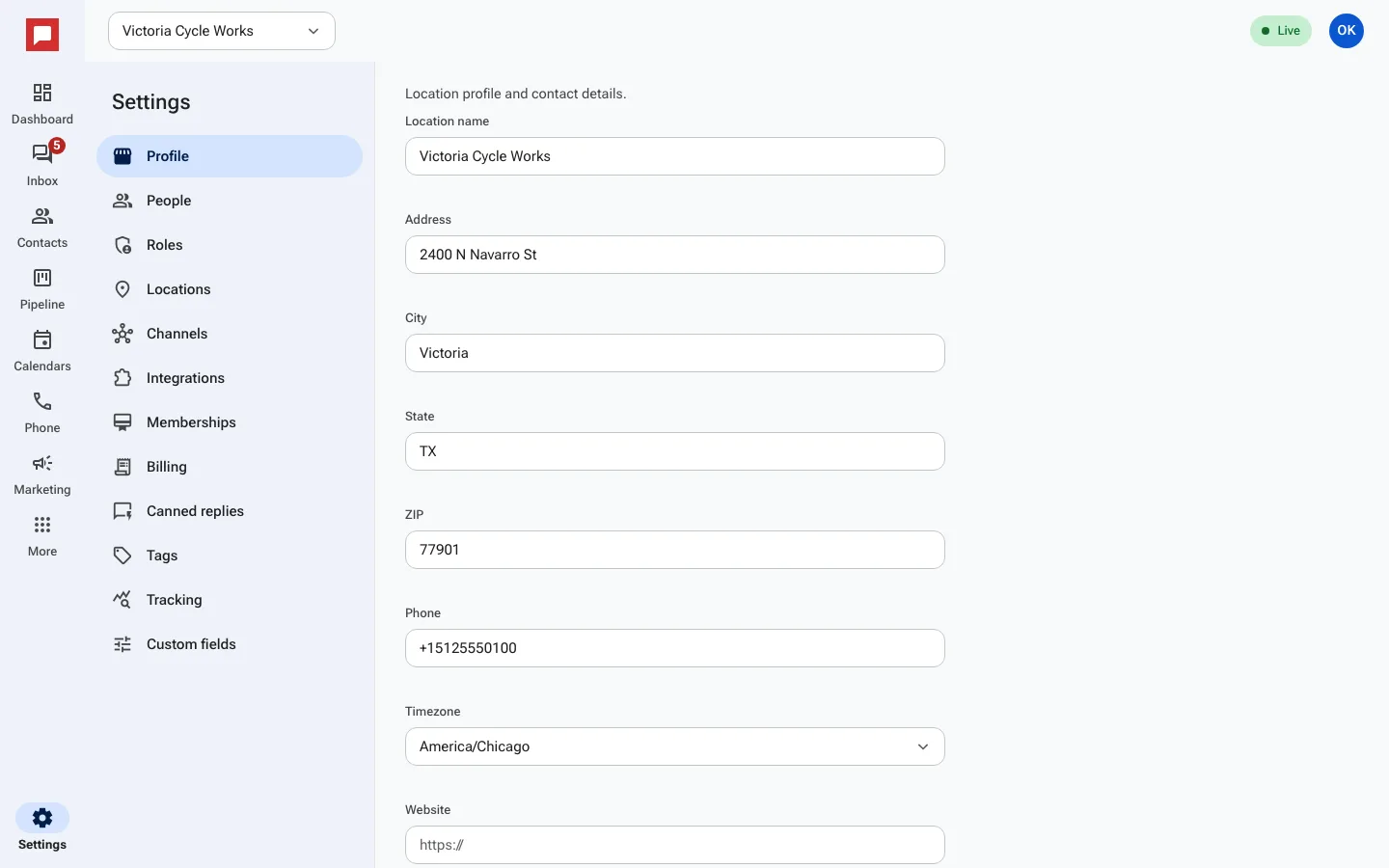
Steps
- Click Settings at the bottom of the left icon rail.
- Find the Location profile and contact details section.
- Type your business name in the Location name field.
- Enter your street address in the Address field.
- Add your city, state, and ZIP code.
- Set your Timezone so messages and reminders use the right time.
- Add your phone number and website if you have them.
- Save your changes.
Good to know
- Your time zone affects when quiet hours start and end.
- You can add multiple locations if you have more than one business site.
- Your address appears on your public profile and review links.
- Keep your phone number up to date so customers can reach you.