
Create a workflow
Learn how to build a new workflow from scratch or start with a ready-made recipe.
Workflows let you automate follow-ups without manual effort. You can build a custom sequence or start with a pre-made recipe.
Steps
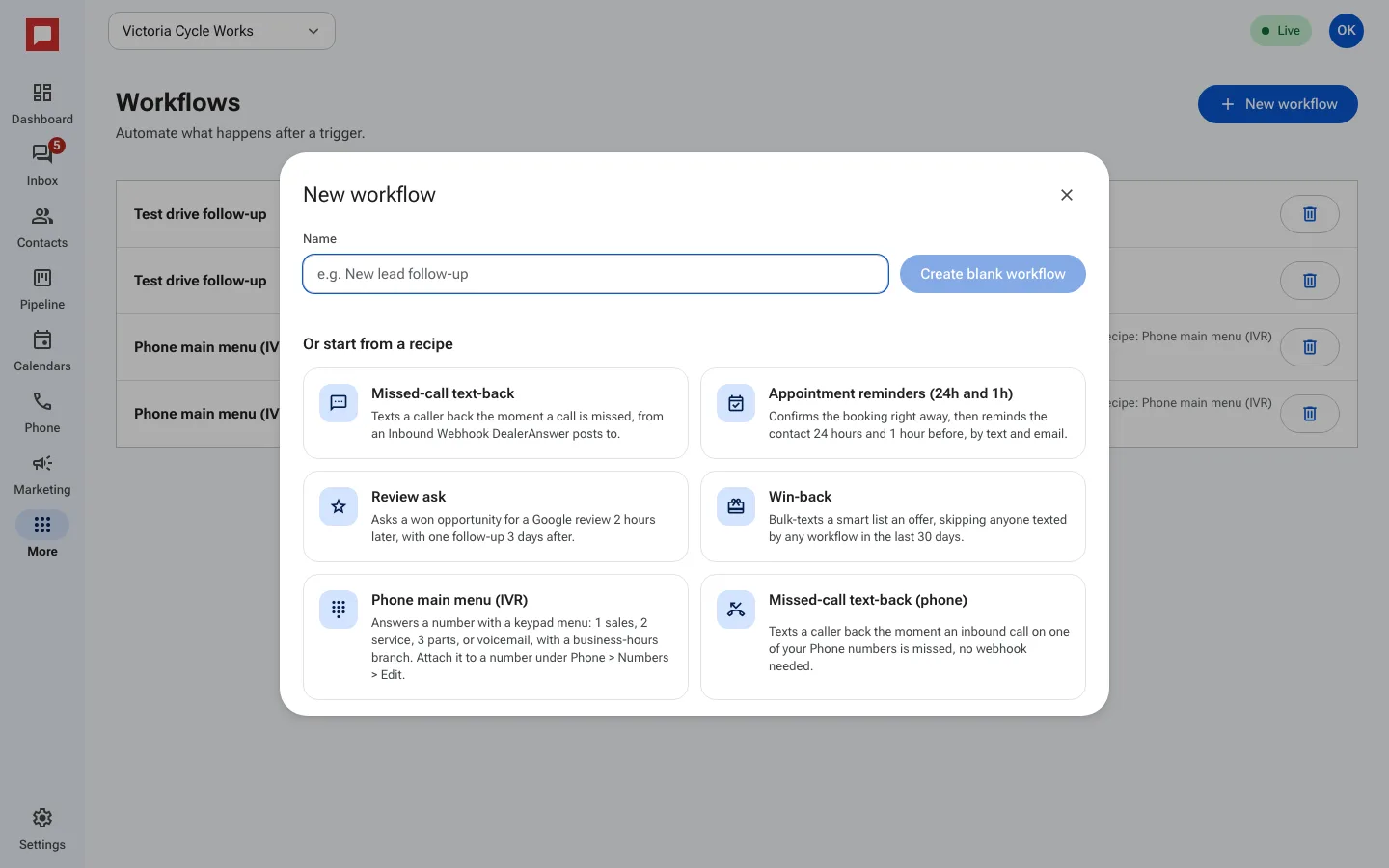
- Go to More in the left icon rail, then Workflows.
- Click New workflow.
- Type a Name, such as "New lead follow-up", and click Create blank workflow. Or pick one of the recipes under Or start from a recipe, like missed call text back or appointment reminders.
- The Builder opens with the canvas. Click the trigger at the top to choose what starts the workflow.
- Click the plus sign under a step to add the next one.
- Click Publish to make the workflow live.
Good to know
- Draft workflows do not run. You must publish them to start enrolling contacts.
- You can pause a published workflow at any time.
- You need a role that can edit workflows.
- Recipes are editable after creation. They are not locked.