
Let AI answer your calls
Set up an AI assistant to answer calls, answer questions, and take messages.
The AI answering feature lets a virtual assistant handle your calls. It can answer common questions, offer appointment times, and take messages. This helps you never miss a lead.
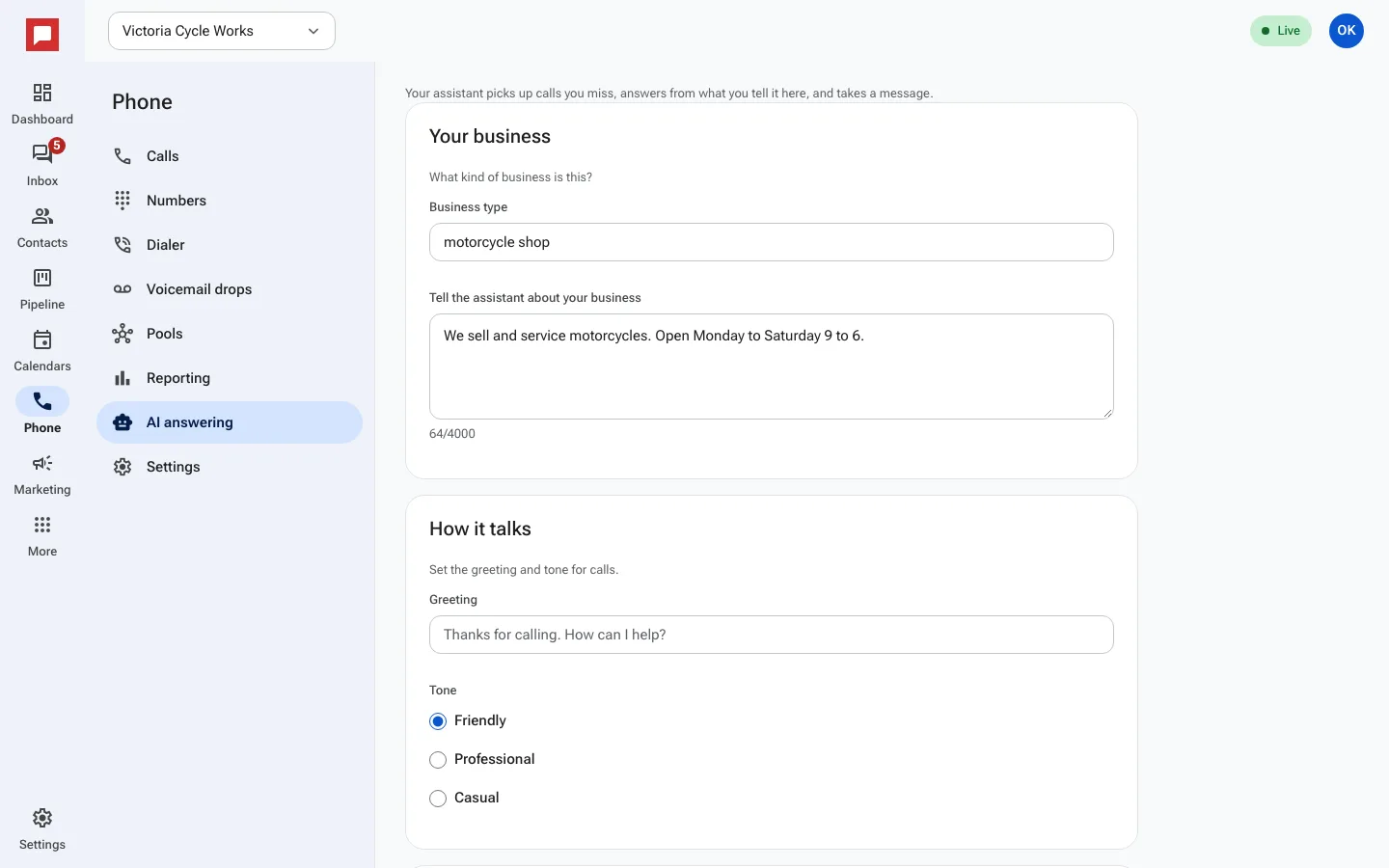
Steps
- Click Phone in the left icon rail.
- Select the AI answering tab.
- Tell the assistant about your Business type.
- Set the Greeting and Tone like Friendly or Professional.
- List the services or products under What you offer.
- Add Common questions and how the assistant should answer them.
- Decide if the assistant can say prices or offer appointment times.
- Choose what happens when a caller wants a person.
- Enable AI pickup on specific numbers.
- Changes save as you go. You see Saved when they are stored.
Good to know
- Turn on Answer texts and chats to let the assistant reply to messages too.
- The AI uses your business details to give accurate answers.
- You can turn AI pickup on or off for each number individually.