
Leave voicemail drops
Record a message and send it to a contact's voicemail in one click.
Voicemail drops let you leave a pre-recorded message on a customer's voicemail. This is useful for follow-ups or reminders. You record it once, upload it, and reuse it on any call.
Steps
- Record a short message on your phone, for example "Hi, this is Sam from the shop, call me back when you can."
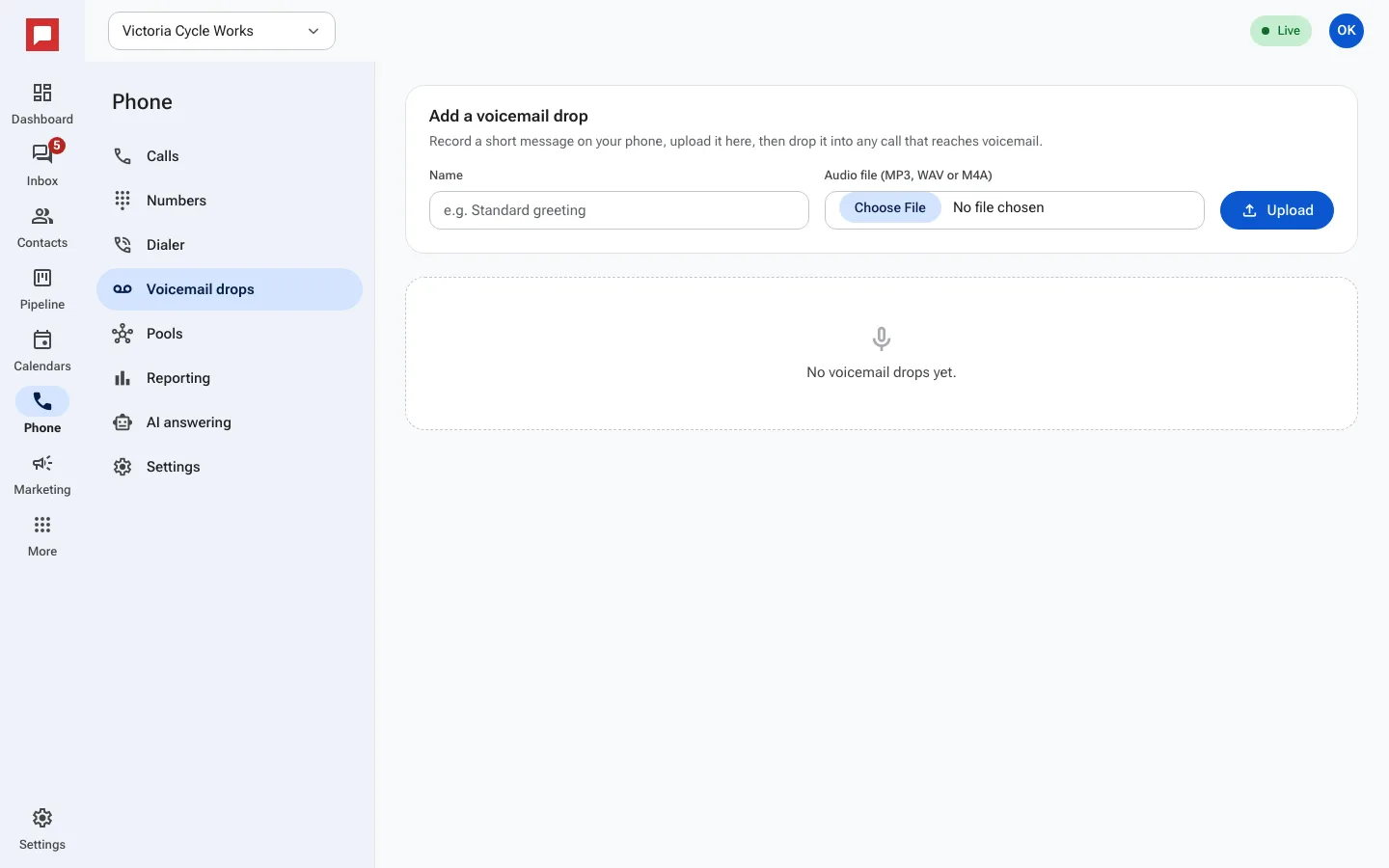
- Click Phone in the left icon rail, then the Voicemail drops tab.
- Under Add a voicemail drop, give it a Name like "Standard greeting".
- Pick the recording file (MP3, WAV or M4A), then click Upload.
- When you start a power dialer session, pick it under Voicemail drop. Calls in that session that reach voicemail can get this message while you move on.
Good to know
- Workflows can leave a voicemail drop too.
- Keep several drops for different situations, like new leads and missed appointments.