
Get a phone number
Buy a local or toll-free number, assign it to your team, and set up call forwarding.
A phone number lets customers reach you. You can buy a new number or add one you already own. This helps you track where calls come from and route them to the right person.
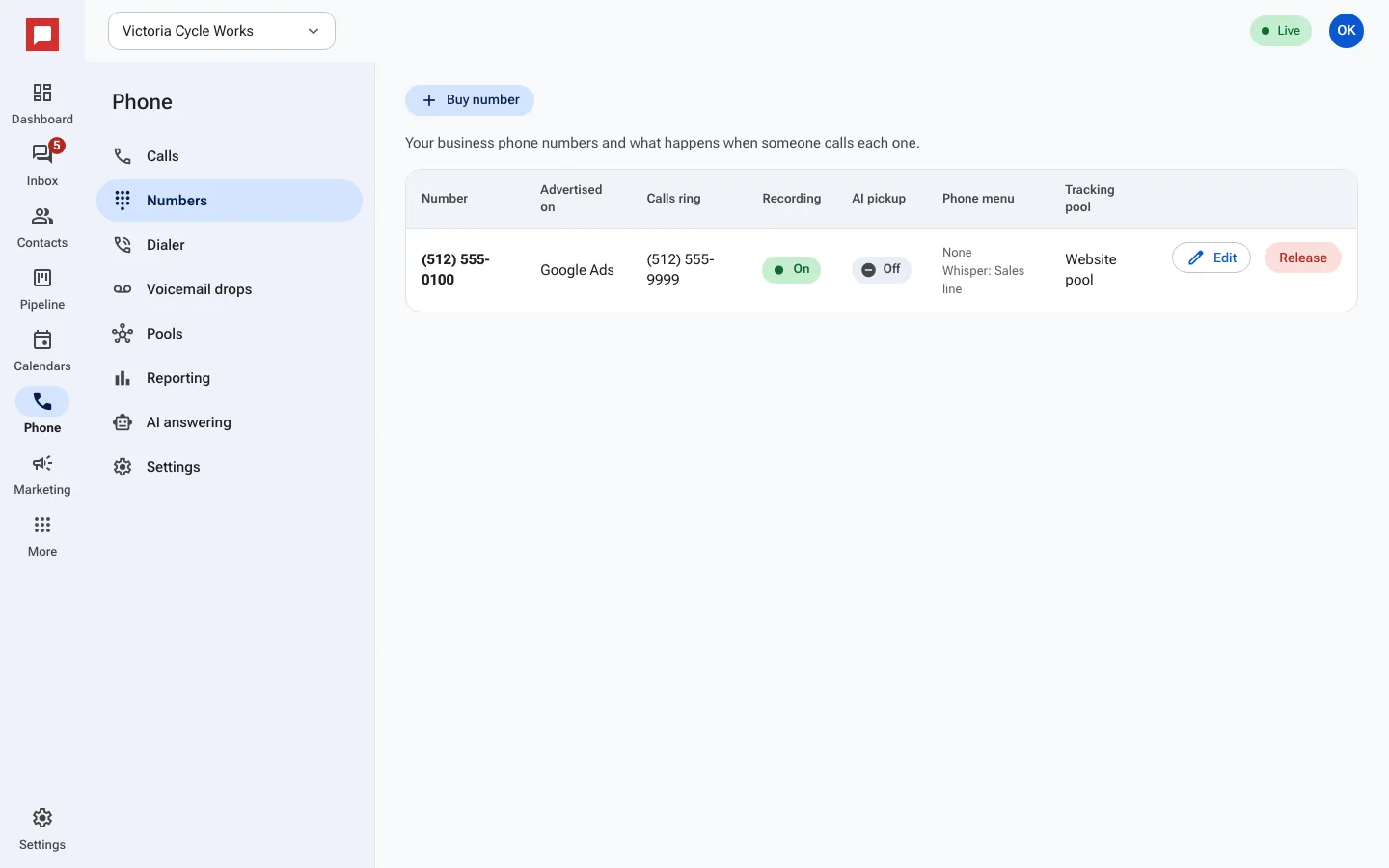
Steps
- Click Phone in the left icon rail.
- Select the Numbers tab.
- Click Buy number to get a new local or toll-free number.
- Choose the Kind and enter an Area code if needed.
- Click Buy a number to confirm.
- Find your new number in the list.
- Click Edit number to change settings.
- Under Calls ring, select A team member or Another phone number.
- Choose the person or number from the Select user... list.
- Toggle Record calls if you want to save audio.
- Click Save.
Good to know
- You can tag a number with a source like "Google Ads" to track marketing results.
- Numbers are billed to your account. You can release a number if you no longer need it.
- Only users with permission to manage phone settings can buy or edit numbers.
- Caller ID shows the number your customers see when you call them.