
Make and take calls in the browser
Use the softphone to dial out, answer incoming calls, and listen to recordings.
The softphone lets you handle calls right in your web browser. You do not need a desk phone. This keeps your call history and contact details in one place.
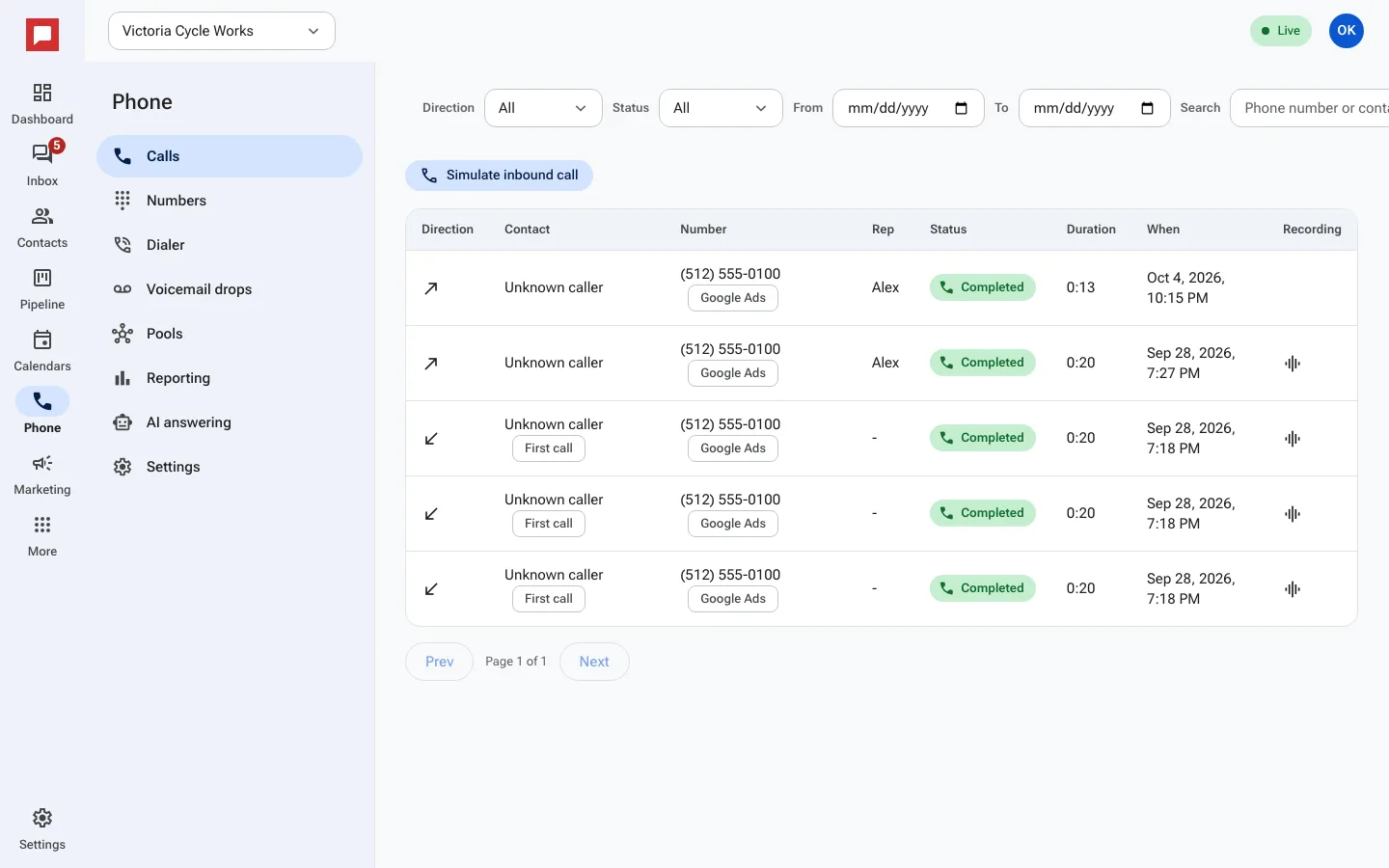
Steps
- Click Phone in the left icon rail.
- Select the Calls tab to see your call log.
- To call someone, find their contact record.
- Click the Call button next to their name.
- The softphone dock appears at the bottom of your screen.
- Speak into your computer microphone.
- Use Mute to silence yourself temporarily.
- Click Hang up to end the call.
- Incoming calls show a toast notification. Click Answer to pick up.
- After a call, you can listen to the recording if it was enabled.
Good to know
- Calls are recorded if the Record calls setting is on for that number.
- A Recording announcement (for example "This call may be recorded") can play first. Set it on the Settings tab.
- You can reconnect a dropped call using the Reconnect button.
- Call details appear in the contact timeline automatically.