
Phone settings and call reports
Configure working hours, voicemail, and view detailed call performance reports.
Phone settings let you control how your numbers behave. Reports show you how many calls you get and how your team performs. This helps you improve your phone process.
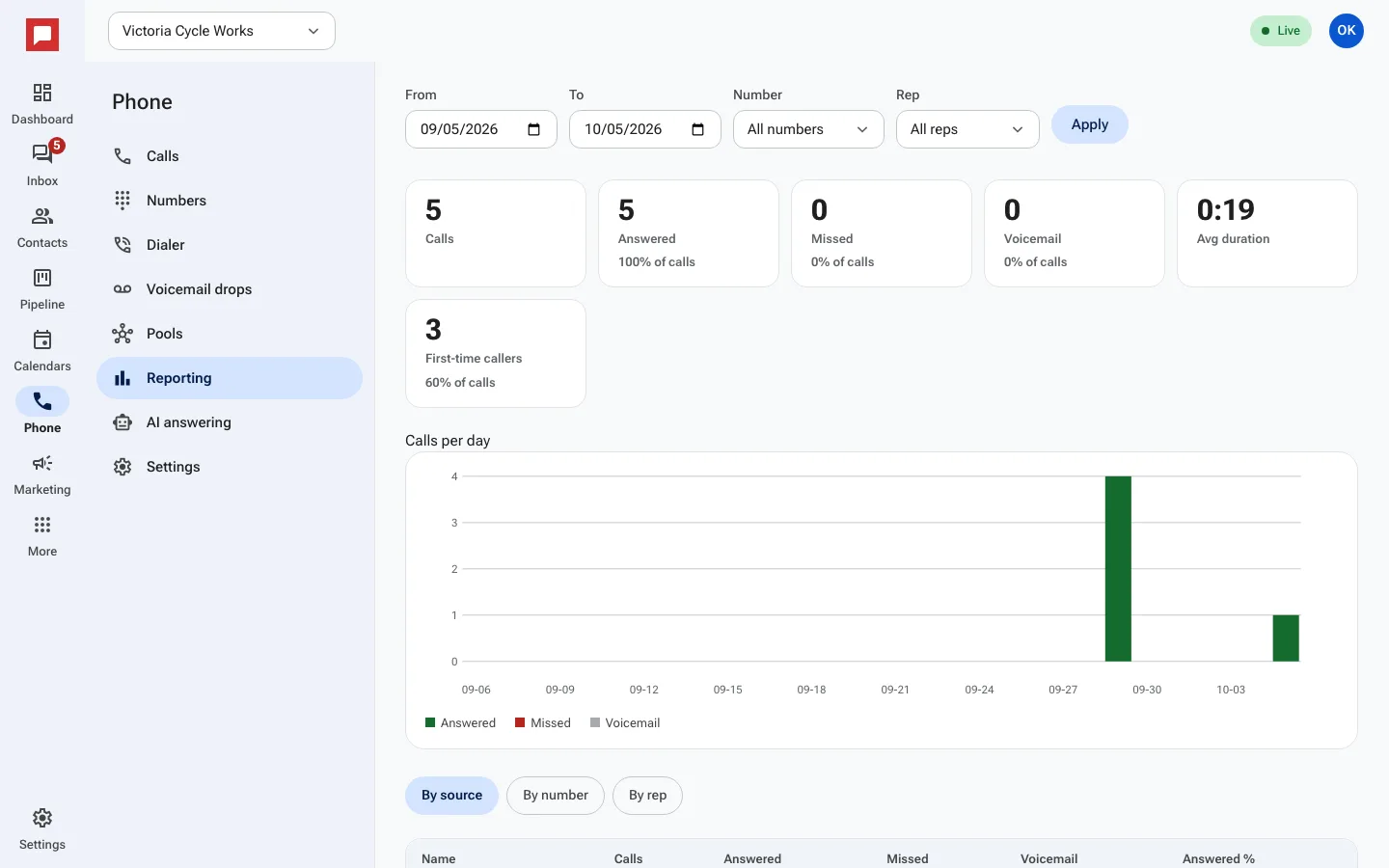
Steps
- Click Phone in the left icon rail.
- Select the Reporting tab to view call data.
- Filter by Direction like Inbound or Outbound.
- Filter by Status like Answered or Missed.
- View metrics like Avg duration and First-time callers.
- Break down data By source, By number, or By rep.
- Click Settings to change phone behavior.
- Set your working hours and voicemail options.
- Manage Dispositions labels your team uses.
- Click Apply after changing the report filters.
Good to know
- Reports show calls by source to help you track marketing.
- You can see which reps handle the most calls.
- Dispositions help you categorize call outcomes.