
Your plan and billing
View your plan, usage, invoices, and payment method in one place.
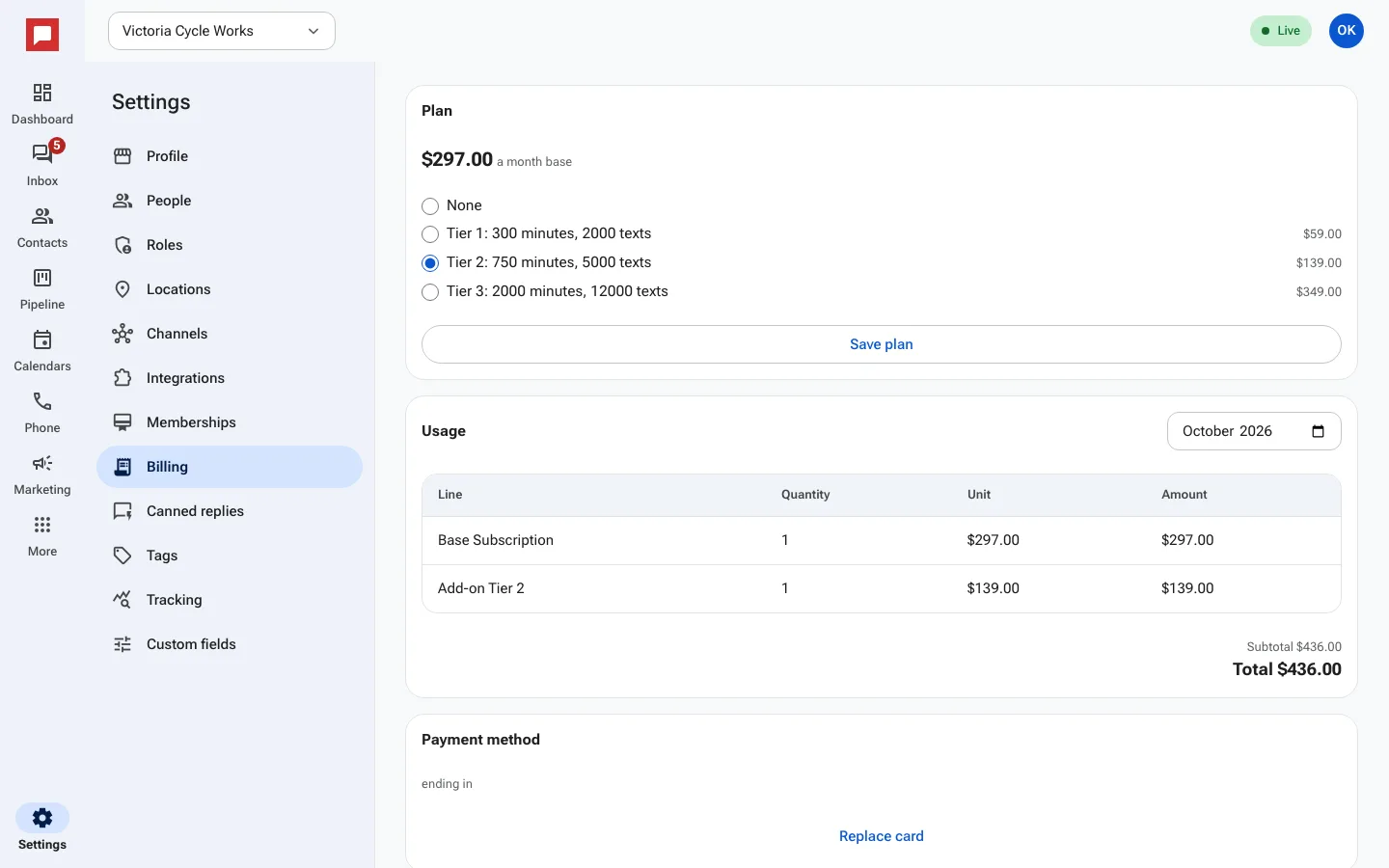
This page shows your current plan and how much you are using. You can also manage your payment method and see past invoices.
Steps
- Click Settings at the bottom of the left icon rail, then Billing.
- Under Plan, pick the plan you want and click Save plan.
- Under Usage, choose a month to see each charge: the base subscription, add-ons, and usage like minutes and texts.
- Under Payment method, click Replace card to change the card you pay with.
Good to know
- Only an Owner can see and change billing.