
Save canned replies
Save common messages so your team can send them quickly in the inbox.
Canned replies are pre-written messages. Your team can insert them with a shortcut to save time.
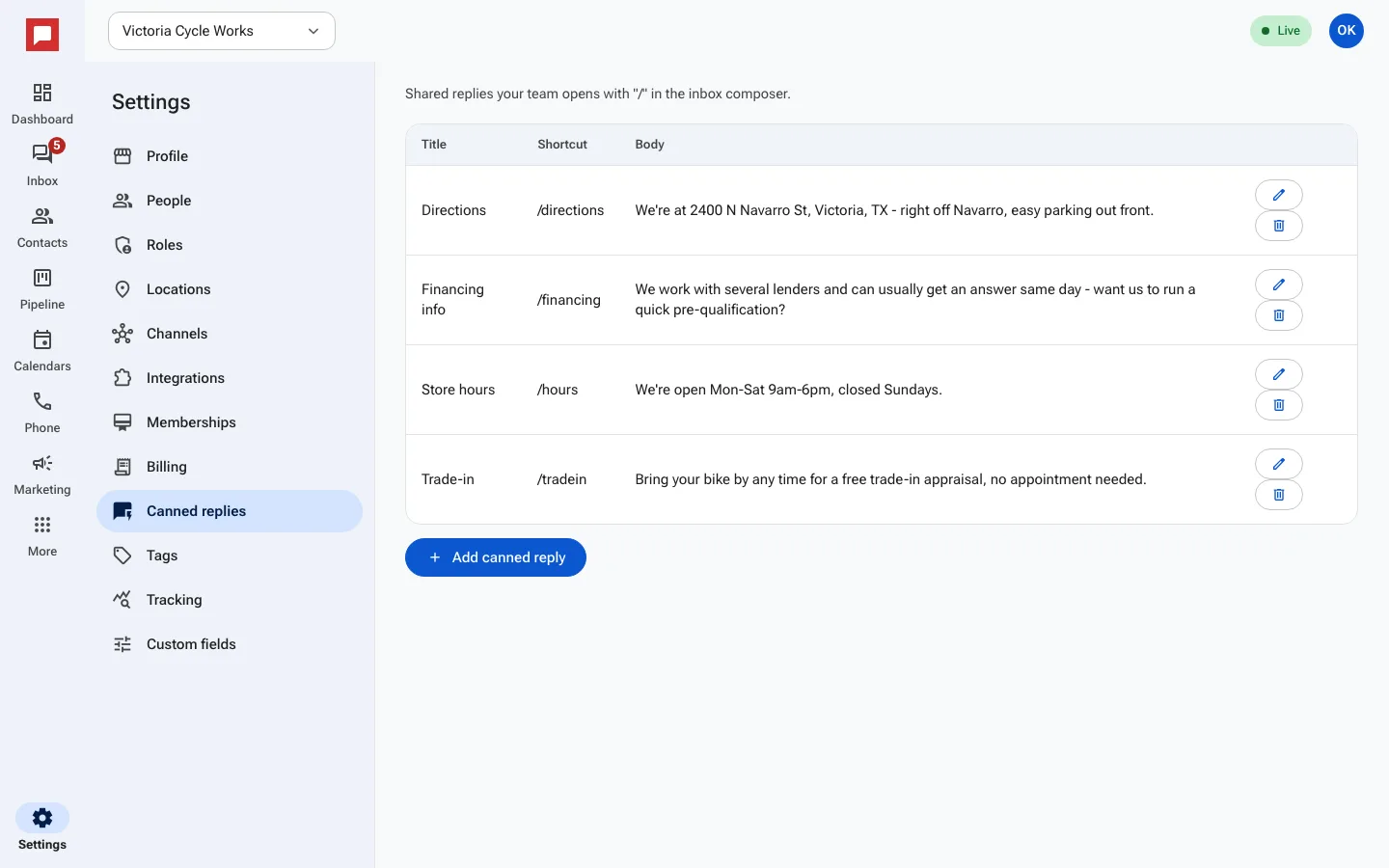
Steps
- Go to Settings at the bottom of the left icon rail.
- Select Canned replies.
- Click Add canned reply.
- Enter a Title for the message.
- Set a Shortcut to type in the inbox.
- Write the Body of the message.
- Click Add canned reply to save.
- To change a reply, click Edit.
- To remove one, click Delete canned reply.
Good to know
- Your team opens these with the "/" key in the inbox composer.
- Shortcuts make it fast to find the right message.
- You can update replies as your business changes.
- These are shared across your whole team.