
Send an estimate
Send a quote to a customer and let them accept it online to create an invoice.
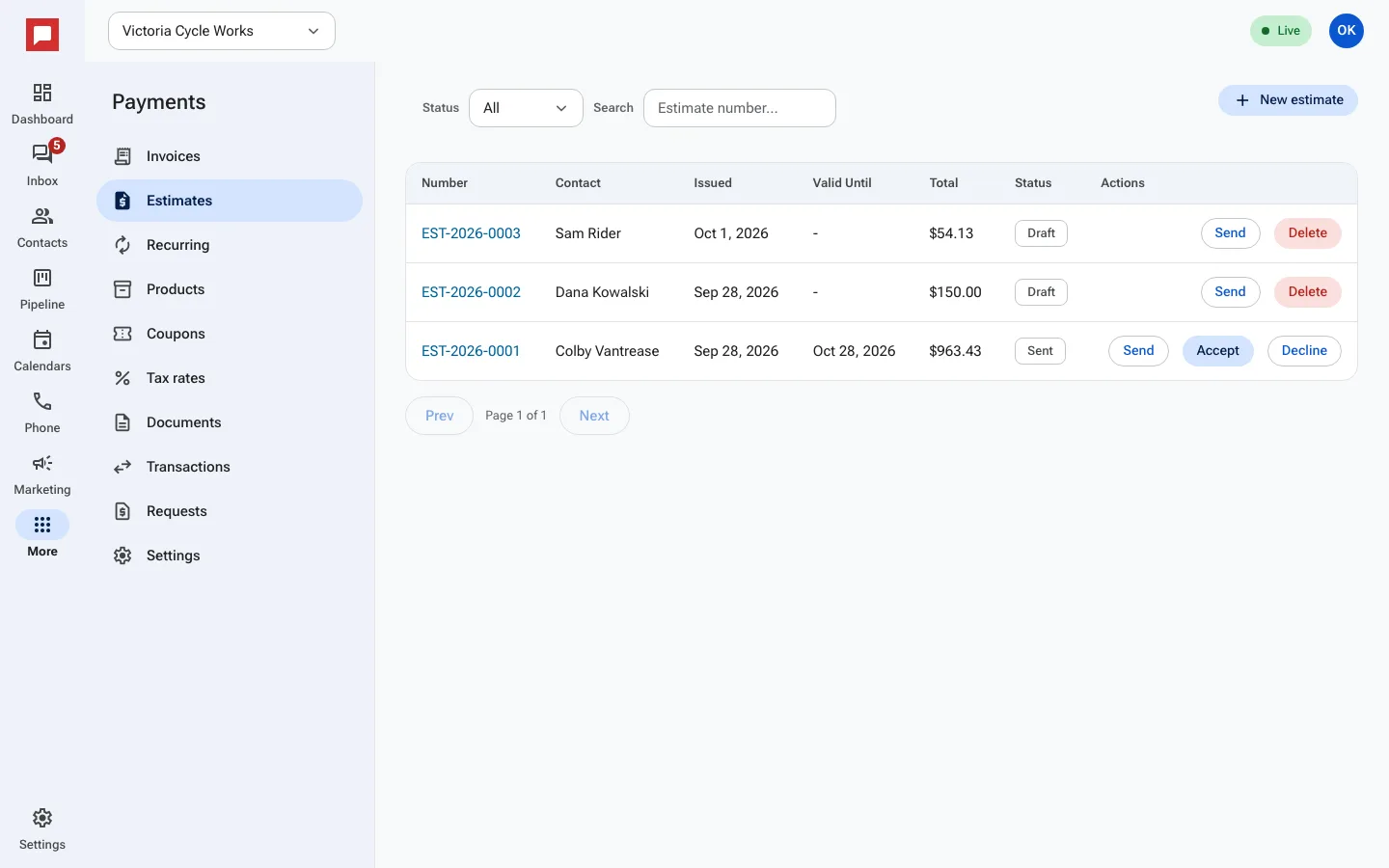
Estimates are quotes for future work. You send them to customers for approval. When a customer accepts an estimate, it automatically turns into an invoice. This saves you from typing the same details twice.
Steps
- Go to More in the left icon rail, then Payments.
- Select the Estimates tab.
- Click New estimate.
- Select the customer contact.
- Add line items with descriptions, quantities, and prices.
- Set a Valid Until date if you want the estimate to expire.
- Click Send. The customer gets a link to view the estimate.
- The customer can click Accept or Decline on the page.
- If they accept, the estimate status changes to Accepted and an invoice is created.
Good to know
- Estimates do not charge the customer until they are accepted.
- You can track the status: Sent, Accepted, Declined, or Expired.
- If a customer declines, you can see the Decline Reason they provided.
- You can edit an estimate before it is sent.