
Products, coupons and tax rates
Manage your product catalog, discount codes, and sales tax settings.
Keep your prices organized with a product catalog. Use coupons to offer discounts. Set tax rates so your invoices are accurate. These tools make it faster to create invoices and estimates.
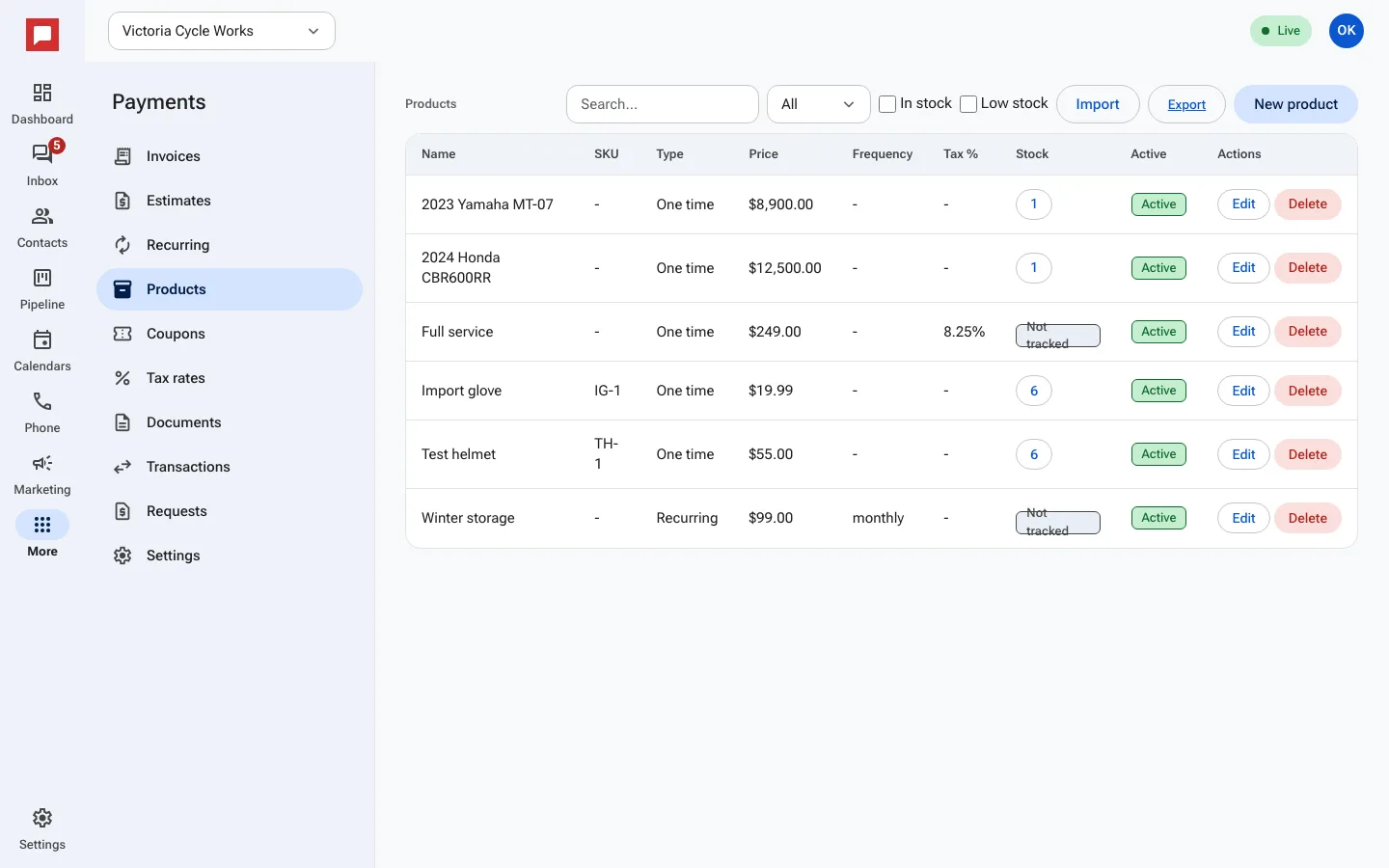
Steps
- Go to More in the left icon rail, then Payments.
- Select the Products tab to manage your catalog.
- Click New product. Add a Name, Price, and Description.
- Choose the Type: One time or Recurring.
- If recurring, select a Frequency.
- Go to the Coupons tab to create discounts.
- Click New coupon. Enter a Code and choose Percent or Fixed amount.
- Set Start date and End date if the discount is temporary.
- Go to Tax rates to set your sales tax percentage.
Good to know
- You can track stock levels for products.
- Coupons can have a Max uses limit.
- Tax rates apply to line items on invoices.
- You can import products from a CSV file.